


Moving to the cloud is rarely the hard part. Moving without a plan is. We’ve seen businesses lift every server into the cloud in one weekend, only to end up with higher bills, slower apps, and a team that isn’t sure who owns what.
A cloud migration strategy is your plan for moving applications, data, and infrastructure from on-premise servers (or another cloud) to a cloud environment. It covers what you’re moving, how each workload will move, in what order, and how you’ll keep the business running while it happens.
In this guide, we walk through the main types of cloud migration, the steps to build your plan, a checklist you can use, and the challenges to watch out for.
What Is a Cloud Migration Strategy?
Cloud migration is the process of moving digital assets, such as applications, databases, files, and IT workloads, to a cloud platform like Microsoft Azure, Amazon Web Services (AWS), or Google Cloud. A cloud migration strategy is the plan behind that move.
A good strategy doesn’t treat every system the same way. Some applications can move as they are. Others need changes first, and a few shouldn’t move at all. The strategy decides which is which, based on cost, risk, and what the business actually needs.
If you’re still deciding whether the move makes sense, start with our post on why cloud migration is critical for business agility. This guide assumes you’ve made that call and now need to plan the how.
Types of Cloud Migration: The 7 Rs
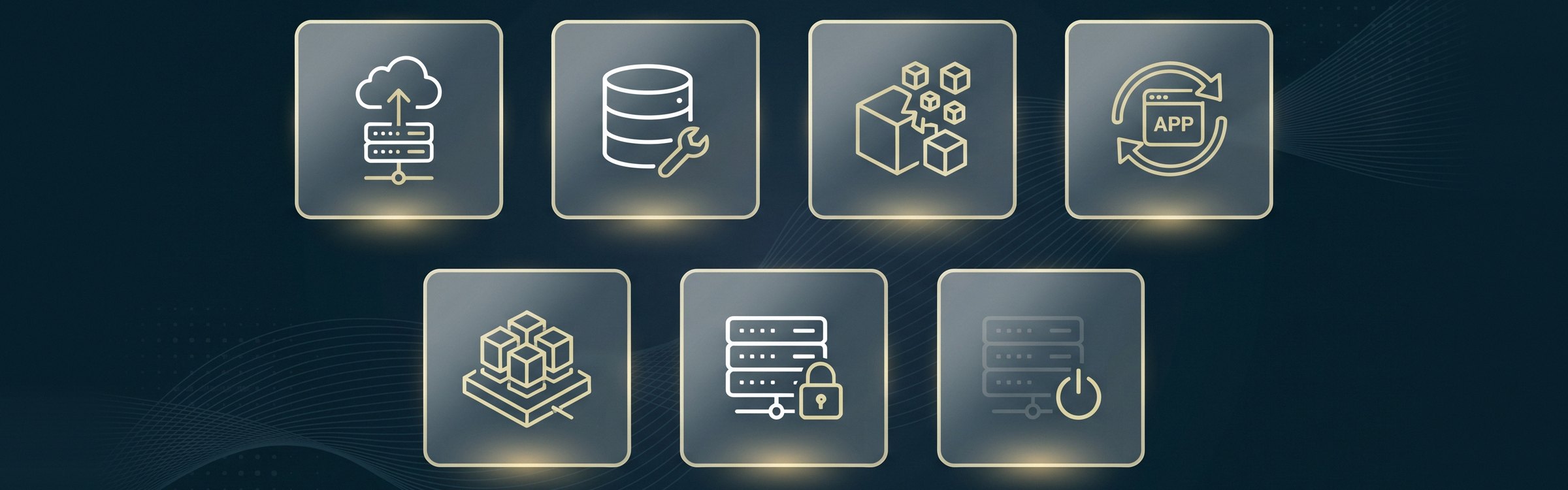
Most cloud providers group migration approaches into a set of “Rs.” You’ll often see this called the 6 Rs of cloud migration, and AWS later added a seventh. Each workload in your environment should get one of these labels.
1. Rehost (Lift and Shift)
Move the application to the cloud as it is, with no code changes. It’s the fastest option and works well when you need to exit a data centre quickly. The trade-off is that you don’t get many cloud-native benefits until you optimize later.
2. Replatform (Lift and Reshape)
Make a few targeted changes during the move, such as switching to a managed database service, without rewriting the application. You get some quick wins on cost and maintenance without a big development project.
3. Refactor (Re-architect)
Redesign the application to take full advantage of the cloud, for example by breaking it into smaller services or using serverless functions. This takes the most time and budget, so it’s best saved for core applications where scalability and performance really matter.
4. Repurchase (Drop and Shop)
Replace an existing application with a SaaS product. A common example is moving from an on-premise email server to Microsoft 365, or from a homegrown CRM to Salesforce.
5. Relocate
Move an entire virtualized environment, such as a VMware setup, to the cloud without changing the servers inside it. This is the newest addition to the list and suits businesses with large virtual machine estates.
6. Retain
Keep the application where it is for now. Some systems have compliance requirements, very low latency needs, or were recently upgraded, so moving them doesn’t make sense yet.
7. Retire
Turn it off. Almost every assessment turns up applications nobody uses anymore. Retiring them cuts licensing and maintenance costs and shrinks the size of your migration.
Cloud Migration Steps: How to Build Your Plan
Step 1: Set Clear Goals
Write down why you’re migrating. Lower infrastructure costs, better remote access, stronger disaster recovery, and getting off ageing hardware are all common reasons. Your goals shape every decision that follows, including which workloads go first and how much you’re willing to spend on changes.
Step 2: Take Inventory of Your Environment
List every application, server, database, and file share you have. For each one, note who uses it, how critical it is, what it connects to, and any compliance rules that apply. Dependencies are where most migrations go wrong, so take the time to map them properly.
Step 3: Choose Your Cloud Model and Provider
Decide whether public cloud, private cloud, or a hybrid setup fits your needs. Our guide on private cloud vs public cloud breaks down the differences. For Canadian businesses, check that your provider offers data centres in Canada if you need to keep data in the country.
Step 4: Assign a Migration Approach to Each Workload
Go through your inventory and tag each item with one of the 7 Rs. This is where your plan becomes realistic. You’ll quickly see which systems are simple moves and which need more work or a separate project.
Step 5: Plan the Order and Timeline
Group workloads into waves. Start with something low-risk, like a file server or an internal tool, so your team can learn the process before touching critical systems. Schedule cutovers outside business hours and build in time for testing after each wave.
Step 6: Secure and Back Up Everything
Before anything moves, take full backups and confirm you can restore them. Set up identity and access controls, encryption, and monitoring in the new environment from day one. Remember that cloud security is a shared responsibility: the provider secures the platform, but you’re responsible for how it’s configured. This is also a good moment to revisit your disaster recovery plan.
Step 7: Migrate, Test, and Cut Over
Move each wave, then test performance, integrations, and user access before switching over for good. Keep the old environment available for a short rollback window in case something unexpected comes up.
Step 8: Optimize After the Move
Migration day isn’t the finish line. Review your usage in the first few months and right-size anything that’s over-provisioned. Many teams also set budgets and alerts so cloud spend doesn’t creep up unnoticed.
Cloud Migration Checklist
Use this quick checklist to make sure nothing gets missed:
- Business goals and success metrics are written down and agreed on
- Full inventory of applications, data, and dependencies is complete
- Each workload has a migration approach (one of the 7 Rs)
- Cloud provider, region, and data residency requirements are confirmed
- Budget covers migration, licensing, and the first months of running costs
- Security controls, access roles, and encryption are set up in the target environment
- Backups are taken and restore has been tested
- Migration waves and cutover dates are scheduled and communicated
- Testing plan covers performance, integrations, and user access
- Rollback plan is ready for each wave
- Staff training and support are planned for go-live
- Cost monitoring and alerts are in place after the move
Common Cloud Migration Challenges

- Hidden dependencies: An app that looks standalone may rely on a database or service nobody documented. Thorough discovery up front avoids surprise outages.
- Unexpected costs: Moving servers as they are can cost more than running them on-premise. Right-sizing and reserved pricing help keep spend in check.
- Downtime during cutover: Poorly timed switches disrupt the business. Plan cutovers for quiet periods and test before you go live.
- Security gaps: Misconfigured storage and overly broad access are among the most common cloud security issues. Review settings before and after each wave.
- Skills gaps: Running cloud infrastructure is different from running servers in a closet. Training or an experienced partner closes the gap.
- Legacy applications: Some older software wasn’t built for the cloud. These may need to be replatformed, replaced, or kept on-premise for now.
On-Premise to Cloud Migration: Where Most Businesses Start
For most small and mid-sized businesses, the first move is from on-premise servers to the cloud. A typical path looks like this: email and file storage move to Microsoft 365 or Google Workspace, line-of-business applications are rehosted or replatformed to Azure or AWS, and older tools that no one relies on are retired. Taking it in stages keeps risk low and lets the team get comfortable before the bigger moves.
Cloud migration is often one part of a wider change in how a business runs. If that’s where you are, our guide on how to build a digital transformation strategy can help you connect the two.
Frequently Asked Questions
What are the main cloud migration strategies?
How long does a cloud migration take?
What is the difference between rehosting and refactoring?
What is the biggest risk in cloud migration?
Should a small business migrate to the cloud?
Plan Your Cloud Migration With BitWaves
A solid cloud migration strategy saves you money, avoids downtime, and makes sure you actually get the benefits you moved for. The key is knowing what you have, choosing the right approach for each workload, and moving in stages.
At BitWaves, we help businesses across Canada plan and carry out secure, cost-effective migrations to Azure, AWS, and Google Cloud, and we can manage the environment after go-live through our managed IT services. Learn more about our cloud services and migration support, or get in touch to start your assessment.