


UX and UI get mentioned together so often that many people assume they mean the same thing. They don’t, and mixing them up can lead to a website or app that looks great but frustrates the people using it, or one that works well but feels dated and untrustworthy.
UX (user experience) design is about how a product works and how it feels to use. UI (user interface) design is about how it looks: the screens, buttons, colours, and typography people interact with. Put simply, UX makes a product useful and easy, and UI makes it clear and visually appealing. You need both for a digital product that people actually enjoy using.
Below, we break down what each one means, how they differ, how they work together, and what that means for your next website or app project.
What Is UX Design?
UX design (user experience design) focuses on the overall experience a person has with a product. It asks questions like: Can users find what they need? How many steps does it take to complete a task? Where do people get stuck or give up?
The term was popularized by Don Norman, a cognitive scientist who used the title “User Experience Architect” at Apple in the 1990s. Today, UX covers everything from research and planning to structure and testing.
Typical UX work includes:
- User research: Interviews, surveys, and analytics to understand who your users are and what they need.
- User journeys: Mapping the steps someone takes to reach a goal, like booking a call or completing a purchase.
- Information architecture: Organizing content and navigation so it makes sense to users.
- Wireframes and prototypes: Simple layouts that show structure and flow before any visual design is added.
- Usability testing: Watching real people use the product to find and fix problems.
What Is UI Design?
UI design (user interface design) focuses on the visual and interactive layer people see and touch. If UX is the blueprint of a house, UI is the paint, fixtures, and finishes that make it feel like home.
Typical UI work includes:
- Visual design: Colours, typography, spacing, icons, and imagery that match your brand.
- Layout: Arranging elements on each screen so the most important information stands out.
- Interactive elements: Buttons, forms, menus, and sliders, including how they respond when clicked or tapped.
- Responsive design: Making sure every screen works on desktop, tablet, and mobile.
- Design systems: A reusable set of components and style rules that keeps the product consistent.
UX vs UI: The Key Differences
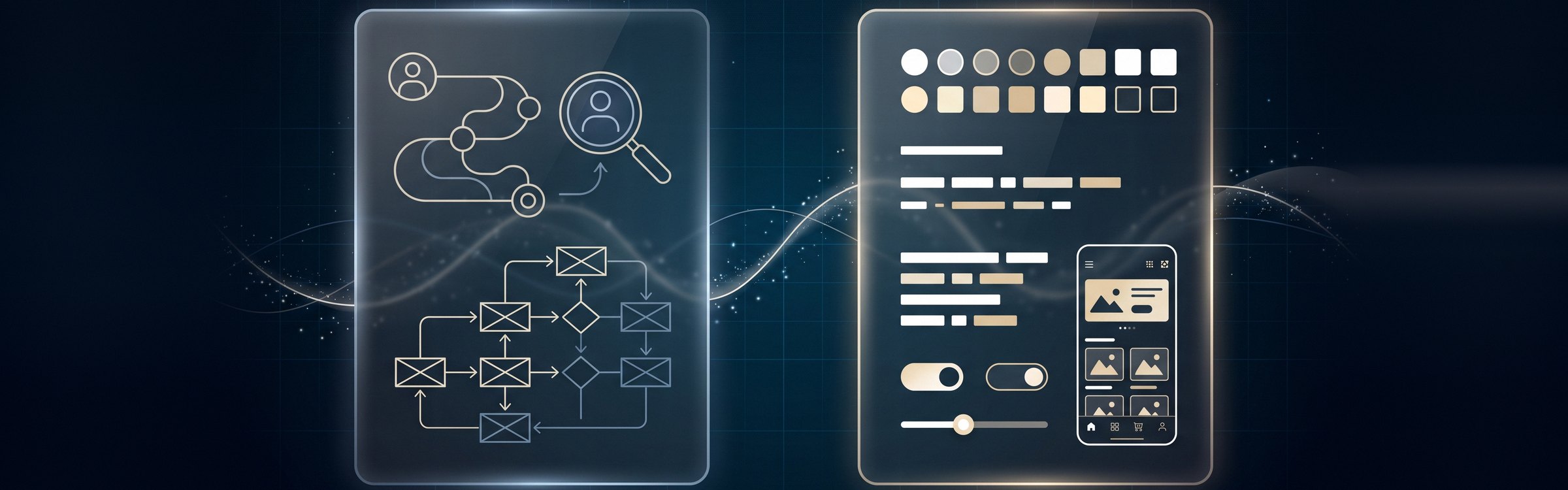
Here’s a quick side-by-side look at the difference between UI and UX:
| Aspect | UX Design | UI Design |
|---|---|---|
| Focus | How the product works and feels | How the product looks and responds |
| Main question | “Is this easy and useful?” | “Is this clear and appealing?” |
| Key activities | Research, user flows, wireframes, testing | Visual design, layouts, components, styling |
| Deliverables | User personas, journey maps, wireframes, prototypes | Mockups, style guides, design systems, final screens |
| Measured by | Task completion, conversion rate, drop-off points | Visual consistency, readability, brand alignment |
| When it happens | Mostly early, then ongoing after launch | After the structure is set, refined through launch |
One easy way to remember it: UX is the journey, UI is the scenery along the way.
How UX and UI Work Together
UX and UI aren’t competing choices. They’re two halves of the same process. A typical UI UX design project moves through these stages:
- Research: The UX side learns about your users, goals, and competitors.
- Structure: UX defines the sitemap, user flows, and wireframes.
- Visual design: UI turns wireframes into polished, on-brand screens.
- Prototyping and testing: Both sides test a clickable prototype with real users and refine it.
- Handoff and build: Designs go to developers, who bring them to life on the front end and back end. Our guide to front-end vs back-end development explains that part of the process.
- Improve after launch: Analytics and user feedback guide ongoing updates.
Here’s what happens when one side is missing. A beautiful checkout page with a confusing five-step process still loses sales (good UI, poor UX). A logical, fast checkout that looks outdated or untrustworthy also loses sales (good UX, poor UI). The best results come when both are planned together from the start.
UX Designer vs UI Designer: Who Does What?
A UX designer spends most of their time understanding users and shaping the structure of a product. They run research, map journeys, build wireframes, and test ideas. A UI designer takes that structure and designs the final look, making sure every screen is consistent, readable, and on-brand.
On larger teams these are separate roles. On smaller teams, or with an agency partner, one designer or a small team often covers both. What matters is that both sets of skills are part of the project.
Why UX and UI Matter for Your Business
For business owners, this isn’t just a design debate. Your website or app is often the first real interaction a customer has with your company, and it shapes what they think of you.
- Higher conversions: Clear navigation and simple forms make it easier for visitors to contact you, sign up, or buy.
- Lower development costs: Testing ideas with wireframes and prototypes is far cheaper than rebuilding features after launch.
- Fewer support requests: When a product is easy to use, customers don’t need to call for help.
- Stronger brand trust: A polished, consistent interface signals that your business is professional and reliable.
- Better SEO: Search engines reward sites that load fast, work well on mobile, and keep visitors engaged.
UI UX Design Principles to Keep in Mind

Whether you’re redesigning a website or planning a new app, these principles apply:
- Design for real users: Base decisions on research and data, not personal preference.
- Keep it simple: Remove anything that doesn’t help users reach their goal.
- Be consistent: Use the same patterns, colours, and wording throughout.
- Create clear visual hierarchy: Make the most important actions the easiest to spot.
- Design mobile first: Most traffic now comes from phones, so start with the smallest screen.
- Make it accessible: Use readable fonts, strong colour contrast, and support for keyboards and screen readers.
- Give feedback: Show users what happened after they click, submit, or make an error.
Your platform matters too. If you’re building a new site, our guide on how to choose the right CMS covers how that choice affects design flexibility.
Frequently Asked Questions
What is the main difference between UX and UI?
Which comes first, UX or UI?
Is UX or UI more important?
What does a UX designer do?
What does a UI designer do?
Get UX and UI Right From the Start
The UX vs UI question really comes down to this: UX makes your product work for people, and UI makes it look and feel right. When both are planned together, you get a website or app that’s easier to use, builds trust, and turns more visitors into customers.
At BitWaves, our UX/UI design services cover research, wireframes, visual design, and testing, and we work hand in hand with our web development and app development teams so designs launch exactly as planned. If you’re getting ready for a new build, read how to plan a successful custom software project, or get in touch to talk through your project.