

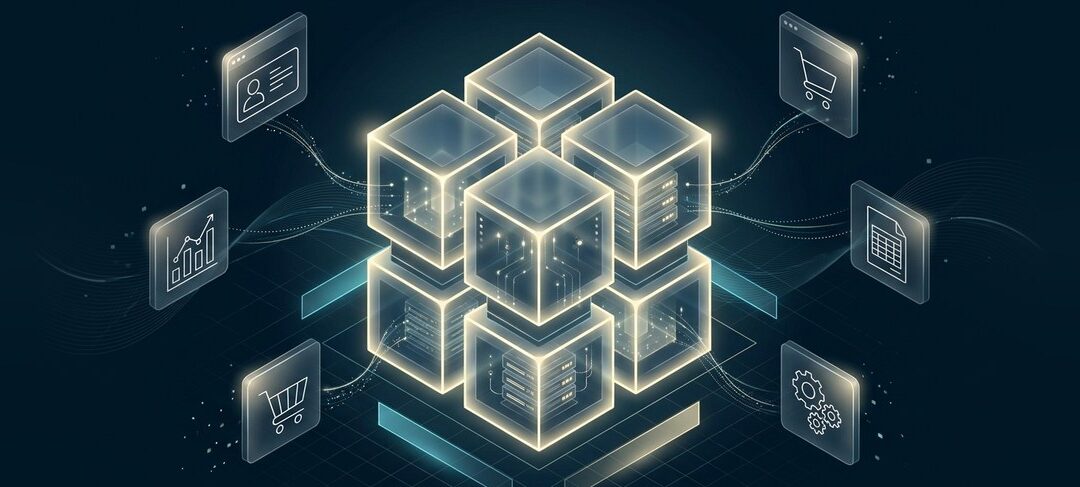
A data warehouse is a central system that collects data from many sources, such as your CRM, accounting software, website, and operations tools, and organizes it so it can be analyzed and reported on in one place. It’s built for answering business questions, not for running day-to-day transactions.
Most growing businesses hit the same wall. Sales numbers live in the CRM, revenue lives in the accounting system, inventory lives in the ERP, and marketing results live in a handful of other tools. Every report means exporting spreadsheets and stitching them together by hand, and by the time it’s done, the numbers are already out of date.
A data warehouse solves that problem. Below, we explain how a data warehouse works, how it compares to a database and a data lake, the main types and examples, and how to tell whether your business is ready for one.
How Does a Data Warehouse Work?

A data warehouse works by pulling data out of your business systems, cleaning and organizing it, and storing it in a structure designed for fast analysis. The process usually has four layers:
- Data sources: The systems where data is created, such as your CRM, ERP, e-commerce store, accounting software, spreadsheets, and marketing platforms.
- Data integration: Data is extracted from each source, standardized so formats match (dates, currencies, customer IDs), and loaded into the warehouse on a schedule or in near real time. These connections usually run through APIs. Our guide to API integration explains how that works.
- Storage: The warehouse stores the cleaned data in organized tables, often grouped by business subject such as sales, customers, products, or finance. It also keeps history, so you can compare this quarter with the same quarter last year.
- Analysis and reporting: Business intelligence (BI) tools like Power BI, Tableau, or Looker Studio connect to the warehouse to build dashboards and reports. Increasingly, AI tools use the warehouse as their source of trusted business data too.
What Makes a Data Warehouse Different?
Data warehousing pioneer Bill Inmon described a data warehouse as subject-oriented, integrated, time-variant, and non-volatile. In plain language, that means it:
- Is organized around business topics, not individual applications.
- Combines data from many systems into one consistent format.
- Keeps history, so you can see trends over time.
- Is stable: data is added and analyzed, not constantly edited like a live system.
Data Warehouse vs Database: What’s the Difference?
A database runs your day-to-day operations, while a data warehouse helps you analyze them. Your CRM’s database records each new lead and update as it happens. Your data warehouse combines that CRM data with sales, finance, and marketing data so you can see which campaigns produced the most profitable customers.
| Database | Data warehouse | |
|---|---|---|
| Main purpose | Running daily transactions | Analysis and reporting |
| Data sources | Usually one application | Many systems combined |
| Data history | Mostly current data | Current and historical data |
| Optimized for | Fast reads and writes of single records (OLTP) | Fast queries across large amounts of data (OLAP) |
| Typical users | Applications and front-line staff | Analysts, managers, and BI or AI tools |
Data Warehouse vs Data Lake vs Data Lakehouse
A data warehouse stores structured, cleaned data that’s ready for reporting. A data lake stores large amounts of raw data in its original format, including unstructured data like documents, images, logs, and sensor data. A data lakehouse combines the two, keeping the low-cost, flexible storage of a data lake while adding the structure and reliability of a warehouse.
| Data warehouse | Data lake | Data lakehouse | |
|---|---|---|---|
| Type of data | Structured, cleaned | Raw, any format | Both |
| When data is organized | Before it’s stored | When it’s used | Flexible |
| Best for | Business reporting and dashboards | Data science, machine learning, large raw datasets | Organizations that need both reporting and AI on one platform |
| Main users | Business users and analysts | Data scientists and engineers | Both |
| Main risk | Less flexible for new data types | Can become a disorganized “data swamp” | More complex to set up well |
For most small and mid-sized businesses whose main goal is reliable reporting, a cloud data warehouse is the simplest starting point.
ETL vs ELT: How Data Gets Into the Warehouse
ETL and ELT are the two main ways to move data into a warehouse:
- ETL (extract, transform, load): Data is cleaned and reshaped before it’s loaded into the warehouse. This was the traditional approach when storage and computing were expensive.
- ELT (extract, load, transform): Raw data is loaded first and transformed inside the warehouse. Modern cloud warehouses have enough computing power to make this faster and more flexible, so ELT is now common.
Types of Data Warehouses
- Enterprise data warehouse (EDW): A single, central warehouse that covers the whole organization.
- Data mart: A smaller warehouse focused on one department or topic, such as sales or finance.
- Cloud data warehouse: A warehouse delivered as a managed cloud service, where the provider handles servers, scaling, and maintenance. This is now the most common choice for new projects.
- On-premises data warehouse: A warehouse running on servers the business owns and manages, still used where specific control or legacy requirements apply.
Data Warehouse Examples
Popular cloud data warehouse platforms include Snowflake, Google BigQuery, Amazon Redshift, Microsoft Fabric (which includes Azure Synapse capabilities), and Databricks SQL. Here’s how businesses typically use them:
- Sales and revenue reporting: Combining CRM pipeline data with invoicing from the accounting system to see true revenue by customer, product, and sales rep.
- Customer insights: Joining website, purchase, and support data to understand which customers are most valuable and which are likely to leave.
- Inventory and operations: Bringing ERP, warehouse, and supplier data together to spot slow-moving stock and plan purchasing.
- Marketing performance: Connecting ad spend, website analytics, and closed deals to see which channels actually produce revenue.
- Financial planning: Giving finance one trusted source for budgeting, forecasting, and month-end reporting.
Why a Data Warehouse Matters for AI
AI tools are only as good as the data they can access. When data is scattered across disconnected systems, AI assistants and agents give incomplete or inconsistent answers. A data warehouse gives AI a single, organized, trusted source of business data to work from.
That matters more as businesses move from AI that writes content to AI that takes action. Our post on agentic AI vs generative AI explains that shift, and our guide to AI governance covers how to control which data AI tools can use.
Does Your Business Need a Data Warehouse?

You probably need a data warehouse if several of these sound familiar:
- Your data lives in five or more systems that don’t talk to each other.
- Reports take hours or days of manual spreadsheet work to put together.
- Different teams report different numbers for the same metric.
- You can’t easily compare performance over time or across departments.
- Running reports slows down the systems your team uses every day.
- You want to use AI or advanced analytics but don’t have one clean source of data.
You may not need one yet if you only use one or two core systems and their built-in reporting meets your needs. In that case, connecting and cleaning up those systems is a better first step. Our guide to CRM vs ERP covers how those core systems fit together.
How to Get Started With a Data Warehouse
- Start with business questions: List the decisions and reports that matter most, such as monthly revenue by product or customer lifetime value.
- Map your data sources: Identify which systems hold the data needed to answer those questions and who owns each one.
- Choose a cloud platform: Pick a warehouse that fits your existing tools, budget, and skills. Moving to the cloud is often part of a wider cloud migration strategy.
- Build the integrations: Set up reliable, automated data pipelines from each source system.
- Agree on definitions: Decide what “customer,” “active,” or “revenue” means across teams, so everyone works from the same numbers.
- Start small and expand: Launch with one area, such as sales reporting, prove the value, then add more sources.
- Keep it maintained: Monitor data quality and update pipelines as systems change, so the warehouse doesn’t turn into new technical debt.
Frequently Asked Questions
What is a data warehouse in simple terms?
What is the difference between a data warehouse and a data lake?
What is an example of a data warehouse?
Is a data warehouse the same as a database?
Do small businesses need a data warehouse?
Turn Scattered Data Into Clear Answers
A data warehouse turns data spread across your business systems into one trusted source for reporting, planning, and AI. The key is starting with the questions that matter, connecting the right systems, and building something your team will actually use.
At BitWaves, we help businesses across Canada and the US connect their systems, move data to the cloud, and build reporting they can trust. Explore our integration services and cloud services and migration, or get in touch to talk about bringing your data together.